HpVis
A modern HEALPix viewer
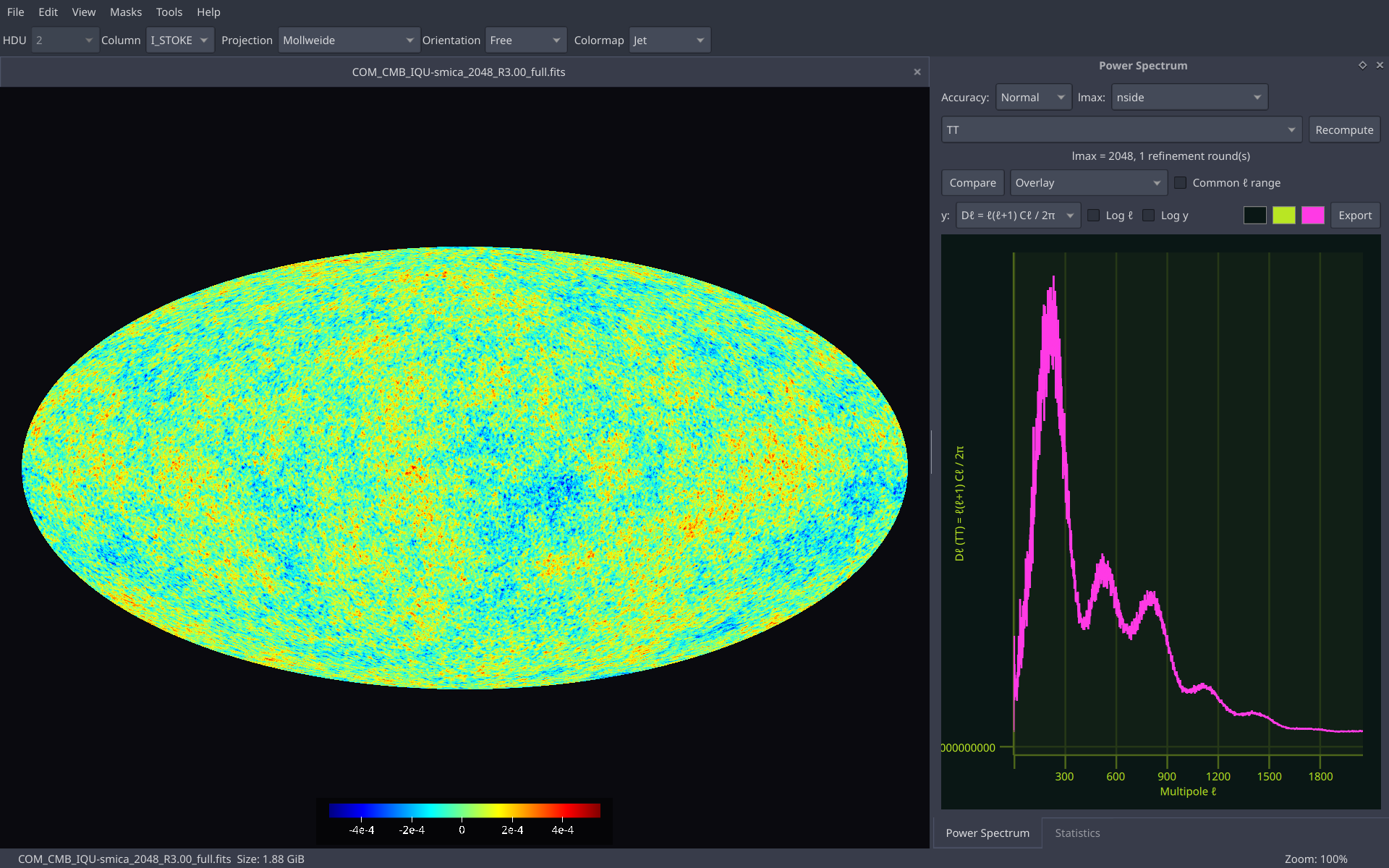
HpVis is a viewer for HEALPix maps. The projection and the pixel lookup happen per pixel on the GPU, so a nside 2048 map still turns under your mouse.
§1Features
Viewing
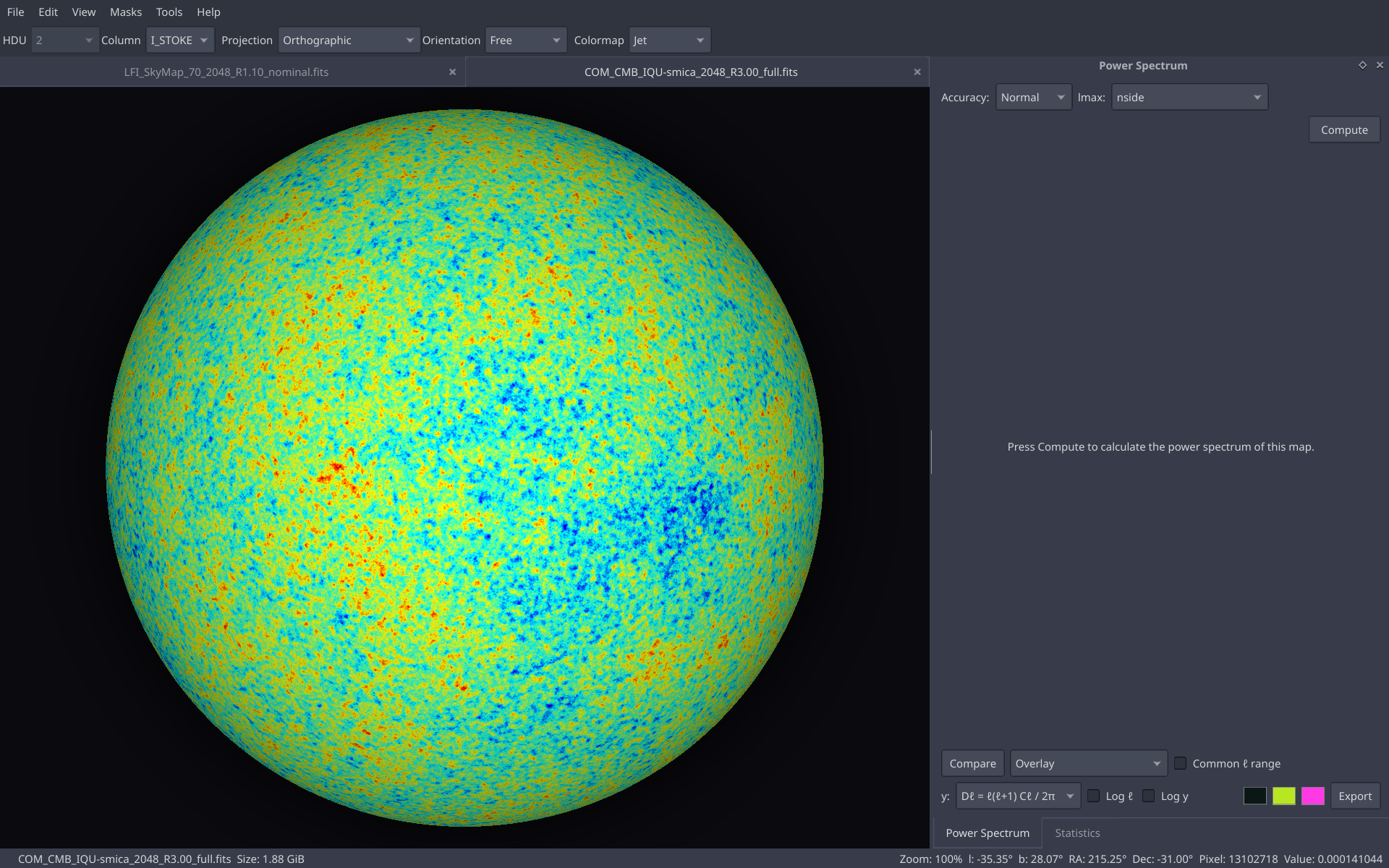
- 14 projections: Mollweide, Hammer, Aitoff, Equirectangular, Mercator, Sinusoidal, Lambert cylindrical, Gall-Peters, Werner, Orthographic, Azimuthal equidistant, Lambert azimuthal, Gnomonic and Stereographic
- Seen from the inside (the sky) or the outside (a globe)
-
Galactic, Ecliptic and Equatorial frames, converted on the GPU from
the map's own
COORDSYS, or a free trackball - Interactive sky rotation with sliders, poles and right-click recentering
- Zoom, pan, pinch, touchpad gestures, shift-drag to zoom to a region, double-click to reset
- Minimap and graticule with adjustable spacing and color
- Pixel grid of any nside (1 to 8192), with optional pixel numbers
- RING and NESTED pixel ordering
Files and workspace
- FITS, NumPy
.npyand.npzfiles - Toolbar choosers for HDU and column, or array and row
- Several maps open at once in tabs
- File explorer dock, drag and drop, recent files
- Sessions: the open files come back at the next start
- Streaming of very large maps (up to nside 8192) that loads full-resolution tiles as you zoom
Color
- 15 built-in colormaps, plus your own from CSV or JSON files
- Linear, logarithmic and asinh scales, with a softening control
- Adjustable color range and percentile auto-range that clips extreme pixels
- Color bar, background and unseen-pixel colors
- Reverse any colormap
Masks
- Load several masks, toggle and invert them, then hide or dim the masked pixels
- Mask Builder: threshold, galactic cut and disc rules, joined with AND, OR or Subtract
-
Edge taper, and the sky fraction with
w2andw4shown as you edit - Paint a mask by hand
- Open a built mask as a map and save it as FITS
Statistics
- Min, max, mean, rms and standard deviation of the map
- Statistics of a region: rectangle, ellipse, polygon or great-circle line
- Histogram with bins, density, log axis, outlier clipping and mask options
- Compare histograms of two maps as an overlay, ratio or difference
- FITS header viewer
Power spectrum
- TT, and TE, EE, BB, TB, EB when the HDU has Q and U
- Mask correction with the MASTER method (NaMaster), with C1, C2 or smooth apodization
- Bandpowers, and E/B purification
- Divide by the pixel window and by a Gaussian or custom beam
- Theory curves (Planck 2018 best fit), optionally binned with the bandpower windows
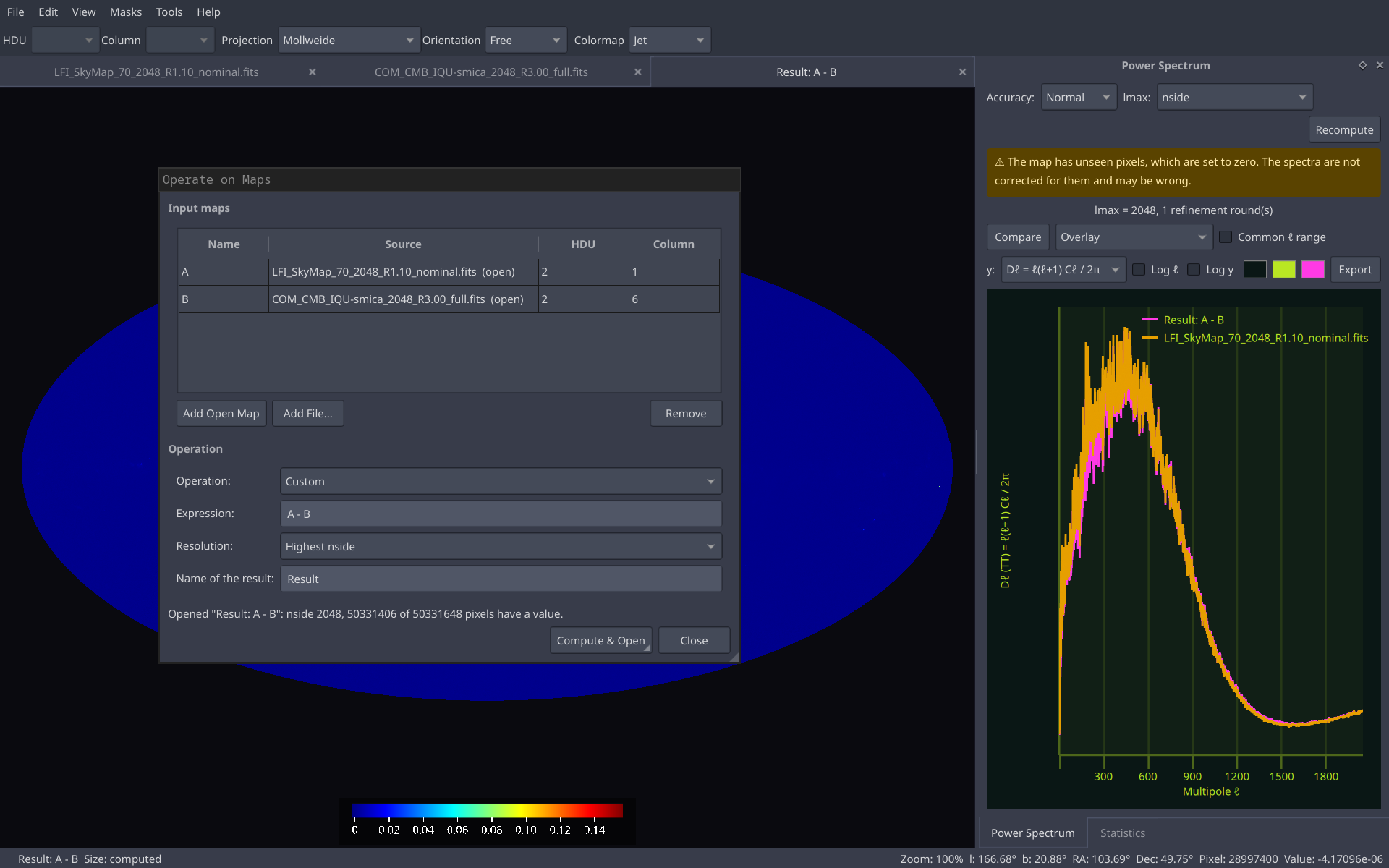
- Compare other maps as an overlay, ratio or difference, or load curves from a file
- Cross-spectrum of two maps, a null test with no noise bias
- Export to CSV, PNG, SVG or PDF
Tools
- Operate on Maps: add, subtract, multiply, divide, mean, absolute difference, maximum, minimum, or any expression of several maps
- Change Resolution, by averaging pixels or through the harmonics
- Beam smoothing (Gaussian or custom window, or deconvolve) and multipole filters (low-pass, high-pass, band-pass, band-stop)
- Derivatives (Laplacian, gradient magnitude) and E and B maps of a polarized map
- Unit conversion between K, mK, uK (CMB or Rayleigh-Jeans) and Jy/sr, MJy/sr
- Data Transform: nonlinear functions applied to the values
- Generate Random Map: Gaussian or uniform noise, or a CMB realization (T, or T, Q, U)
- Every result opens as a new tab and saves as FITS
Export and interface
- Save the view as PNG, JPEG or BMP, or copy it to the clipboard
- Plots as PNG, or vector SVG and PDF in screen colors or black on white
- Command line: render to a file, list HDUs, print statistics, no window needed
- Settings dialog for the defaults of new maps
- Menus grouped by topic with icons, and a rebindable shortcut for almost every command
§2Figures
§3Libraries used
- Qt 6 Interface, OpenGL rendering and plots
- HEALPix C++ Pixelization and spherical harmonic transforms
- libsharp Spherical harmonic transforms backend
- NaMaster Mask-corrected power spectra (MASTER)
- CLASS Theory spectra and CMB realizations
- CFITSIO Reading and writing FITS files
- libzip Reading NumPy .npz files
- argparse Command-line arguments